Survive The Slope Auto Upgrade & Auto Buy Material
Feature overview from community video — no fabricated loadstring on this page.
Critical disclaimer: Using scripts, exploits, or executors in Roblox games can violate Roblox Terms of Use and may result in warnings, bans, or permanent account loss. This page documents features people discuss for Survive The Slope! so you can understand the risk — it is not permission to cheat, and it is not an official StarBite Bones or BCH Studios tool.
We do not publish a loadstring, obfuscated paste, or executor payload here. Pastes go stale, get malware-wrapped, and change after every patch. If you insist on researching one, watch a current video you trust and read its description yourself — then assume ban risk remains.
What this page covers
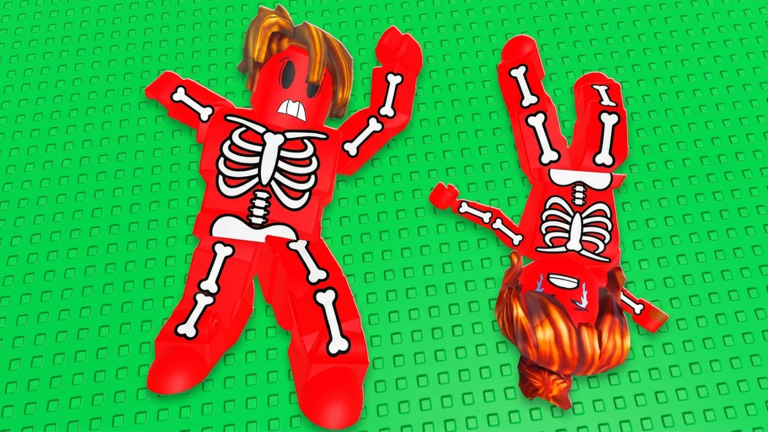
Survive The Slope! is a physics slope runner on Roblox: you slide, dodge obstacles, manage bone health (lose when all bones are broken), earn cash by distance, buy materials, purchase upgrades, and compete on leaderboards with up to six players per server. The repetitive part of that loop — opening shops to upgrade and buy materials between runs — is what automation videos target.
A community video (embedded mid-article) demonstrates a no-key style script advertising shop automation. Treat every claim as unverified until you reproduce it yourself, and remember reproduction still does not make it allowed.
Reported features
Based on the publicly titled / demonstrated feature set in community demos (not a guarantee they still work after the September 2026 Items update or later patches):
| Feature | What it claims to do | Risk note |
|---|---|---|
| Auto Upgrade Legs | Auto-purchase Legs limb upgrades when affordable | May ignore your fail reason; UI renames break hooks |
| Auto Upgrade Arms | Auto-purchase Arms limb upgrades when affordable | Same mis-order risk as other limb autos |
| Auto Upgrade Torso | Auto-purchase Torso limb upgrades when affordable | Can dump cash while bones still fail elsewhere |
| Auto Upgrade Head | Auto-purchase Head limb upgrades when affordable | Still automation — ban risk unchanged |
| Auto Upgrade All | Automatically purchase available upgrades across the shop | Can dump currency into the wrong order; breaks if shop UI changes |
| Auto Buy Material | Automatically buy materials without manual shop clicks | May buy junk tiers or wrong Brick/Ice/gacha sinks if logic is naive |
| Robux Prompt Guard | Blocks or warns on unexpected Robux purchase prompts | Convenience only — does not make exploiting allowed or safe |
| Extra GUI / toggles | On/off switches for the above and related helpers | Unknown extras are the usual malware vector — never enable blind |
Other mirrors online may bolt on auto-farm, speed, or god-mode style claims. Those are not endorsed here. Stick to understanding the upgrade/material automation topic only if you are researching detection risk — then go back to legitimate play with the Shop Planner and Run Checklist.
Why we omit the paste
- Malware: Fake “Survive The Slope script” pages often steal Roblox cookies.
- Stale code: Place updates invalidate remote hooks overnight.
- Policy: Distributing exploit payloads is not what this wiki is for.
- Accuracy: A fabricated loadstring would be a lie; we refuse to invent one.
If a YouTube description you trust still hosts a current string, that is between you, the uploader, and Roblox moderation — not a recommendation from survivetheslope.wiki.
Safer progression path (recommended)
Skip executors and improve the real loop:
- Warm up with the run checklist — bone readiness, upgrades, obstacle focus.
- Spend cash deliberately after each run instead of auto-dumping into every upgrade.
- Learn which materials matter for your current fail point.
- Track patches on the Updates Hub so new Items do not surprise your build.
- Watch for official gifts on the Codes Hub (none verified as of Sep 2026).
- Read Getting Started if you are still learning controls and early goals.
Automation cannot teach you lane choice when the slope steepens. Practice can.
If you still research executors
We will not name “best” injectors. Hard rules only:
- Expect ban risk even with “no key,” “free,” or “undetected” marketing.
- Never enter your Roblox password into a script UI.
- Close the tool if it opens strange browser pages, Discord webhooks, or file downloads.
- Do not run scripts on an account you care about.
- Re-read this warning after every game update — detection surfaces change.
Parents and shared-PC users: treat unknown .exe executors like any untrusted binary.
How Auto Upgrade interacts with the game loop
Even as a mental model (without running anything), understand the economy:
- Distance → cash
- Cash → materials and upgrades
- Upgrades → longer survival → more distance
Blind Auto Upgrade All — or per-limb autos for Legs / Arms / Torso / Head — can prioritize the wrong slot while you still die to one obstacle type. Robux Prompt Guard only reduces accidental paid prompts; it does not choose a smart build. Manual spending guided by the Shop Planner and Tools Hub often yields better learning. Auto Buy Material similarly skips the decision of which material actually fixes your last fail. That is why this wiki pushes checklists over cheats.
After patches
Content drops such as the September 2026 Items update can rename shop entries, add items, or reshuffle prices. Scripts that keyed off old button names fail loudly — or worse, buy the wrong thing silently. Whenever Survive The Slope updates, assume community scripts are broken until proven otherwise, and prefer reading patch notes on the Updates Hub.
Related pages
- Scripts Hub — parent overview and policy
- Codes Hub — legitimate promo path when codes exist
- How to Redeem Codes — official gift UI help
- Run checklist — pre-run prep without exploits
Final reminder: features described here do not make exploiting safe or allowed. Play Survive The Slope on Roblox the intended way whenever you can.
Frequently Asked Questions
Quick answers about sliding farther, upgrades, and codes.
Where is the Auto Upgrade loadstring?
This wiki does not host or invent loadstrings. Feature lists only. Any paste must come from a source you personally verify, with full understanding of ban risk.
What does the script claim to automate?
Community demos highlight Auto Upgrade Legs/Arms/Torso/Head, Auto Upgrade All, Auto Buy Material, Robux Prompt Guard, and related toggles. Availability changes after patches and is never guaranteed.
Is a no-key script safe?
No. “No key” only means fewer phishing gate steps. It does not mean undetectable or allowed under Roblox Rules.
What should I use instead of scripts?
Follow the run checklist, spend cash on upgrades that match your deaths, track updates, and check the Codes Hub for official promos when they appear.