Survive The Slope Tools
Practical checklists and planners — no executors required.
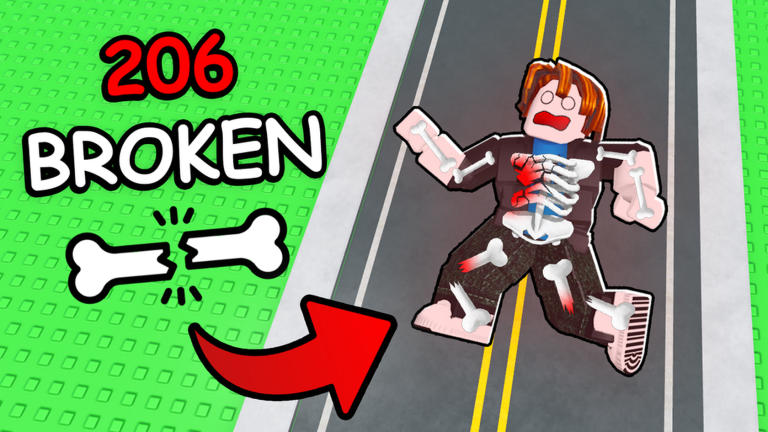
The Tools Hub collects practical player aids for Survive The Slope! on Roblox — checklists, prep sheets, and decision frames you can follow between runs. These are not exploits or injectors. For automation risks, see the separate Scripts Hub. Here we focus on legitimate habits that raise average distance without risking a ban.
Survive The Slope! (StarBite Bones, BCH Studios promo) is a physics slope runner: slide, dodge obstacles, manage bone health, earn cash from distance, buy materials, upgrade, and climb leaderboards. Servers hold up to six players and support Desktop, Mobile, and Tablet. Tools on this hub turn that loop into a repeatable routine.
Available tools
| Tool | Best for | Link |
|---|---|---|
| Run checklist | Pre-run upgrades, bone readiness, obstacle focus | Open checklist |
| Shop planner | Cash → limbs → materials → enchantments → cosmetics | Open planner |
Start with the Run Checklist for attempt focus, then use the Shop Planner whenever you have cash after a fail or after the Items shop changes.
Why checklists beat vibes
Long runs feel random until you log why you died. A sixty-second lobby checklist forces three questions:
- Did I spend cash on the upgrade that matches my last fail?
- Are my bones / survivability choices ready for this attempt’s goal?
- Which obstacle family am I deliberately watching on this run?
Players who skip that ritual often dump cash into random upgrades, launch immediately, and repeat the same clip. The checklist page walks each step in detail.
How to use this hub
- Open the child tool you need (start with Run checklist, then Shop planner when spending cash).
- Keep Roblox on a second monitor or alt-tab between lobby and the checklist.
- After the run, note the fail reason in one short phrase.
- On the next lobby visit, change one variable only — limb upgrade, material, or focus lane — so you learn what worked.
- After patches on the Updates Hub, re-walk both tools with fresh shop eyes.
Pair tools with other wiki sections
- Guides — Learn mechanics first via Guides and Getting Started.
- Updates — When Items change, your tool priorities change (Sep 2026 Items).
- Codes — If a verified promo ever appears, redeem before the run (Codes Hub, How to Redeem).
- Scripts — Optional research only; not required for any tool here.
What these tools are not
- Not Roblox Studio plugins
- Not executor scripts or auto-clickers
- Not fake “code generators”
- Not guarantees of leaderboard rank
They are structured reminders so your cash, bones, and attention line up before you hit play. Skill still matters when the slope steepens.
Building a personal toolkit
Advanced players often keep a notes app with:
- Best distance this week and the loadout used
- Top three death causes
- Items purchased after the latest patch
- A “do not buy” list for bait upgrades
The wiki checklist gives you the template; your notes make it personal. Share habits with friends in the six-player lobby if you like — teaching the checklist aloud often reveals gaps in your own prep.
Related pages
- Run checklist — pre-run focus tool
- Shop planner — cash → limbs → materials → enchantments → cosmetics
- Updates Hub — when to revise the sheets
- Guides Hub — deeper strategy
- Codes Hub — gifts when verified
Open the run checklist and shop planner next, then treat your following attempt as a controlled experiment, not a coin flip.
Frequently Asked Questions
Quick answers about sliding farther, upgrades, and codes.
Are these tools the same as scripts?
No. Tools Hub pages are legitimate checklists and planners. Scripts and executors are separate, risky, and not required.
Which tool should I open first?
Start with the Run checklist for bone readiness and obstacle focus, then the Shop planner whenever you have cash to place before launch.
Do I need these tools on mobile?
Yes—the same prep applies on Mobile and Tablet. Keep the checklist in a browser tab and review it in the lobby.
How often should I update my checklist answers?
After every notable fail streak and after every game update, especially Items patches.